What's the Difference Between SSO and a Password Manager for Teams?

TL;DR
- Boost security & simplify access with SSO and password managers. Streamline logins and protect credentials for a smoother, safer user experience.
TL;DR
- Single Sign-On (SSO) lets users log into multiple apps with just one set of credentials.
- Password managers keep individual login details safe, generate strong passwords, and manage them.
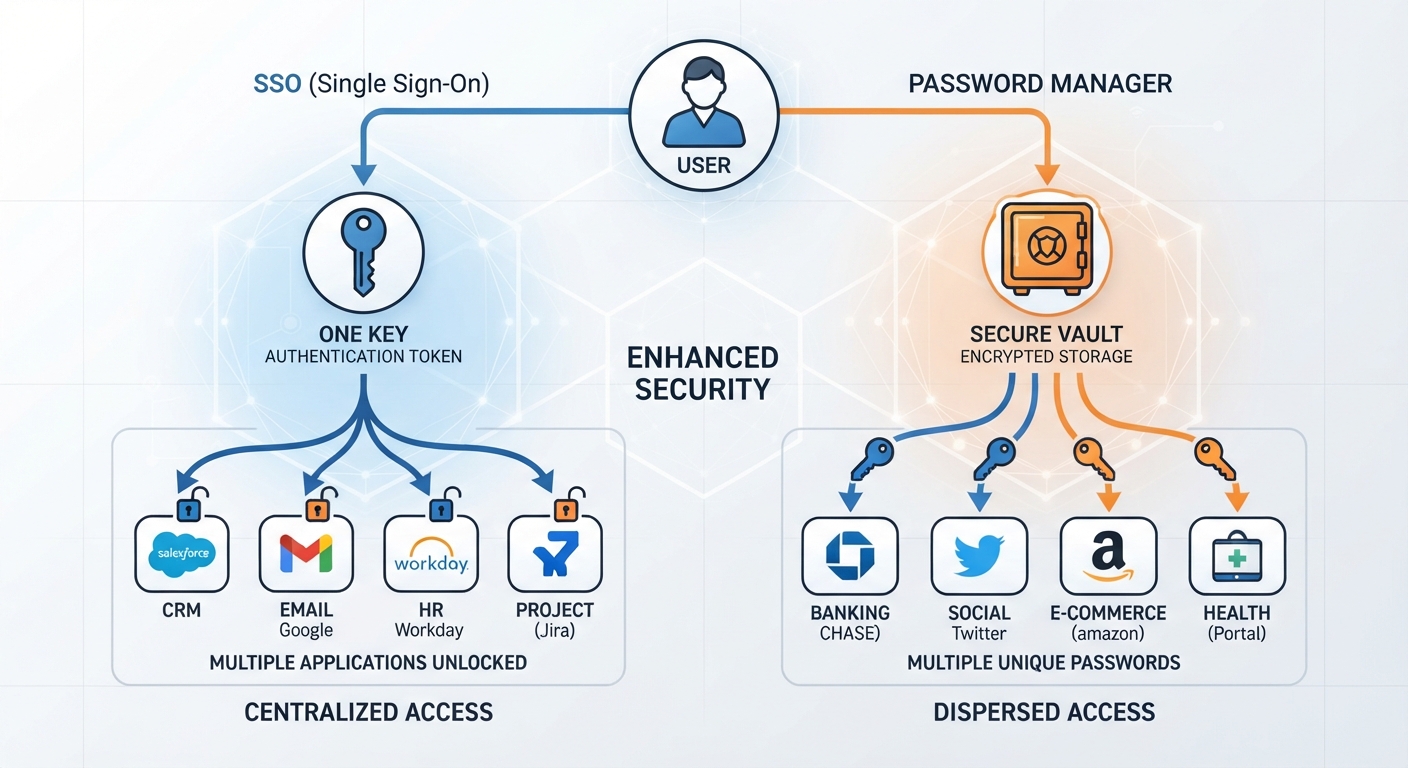
- SSO streamlines access by centralizing authentication; password managers secure each individual account.
- You can totally use both for better security and a smoother user experience.
- The best pick depends on how your team uses apps and what your security priorities are.
SSO vs. Password Manager for Teams: Getting the Jargon Straight
It's easy to get SSO and password managers mixed up, especially when you're talking about team use. Both are designed to make access simpler and security tighter, but they go about it in pretty different ways. Knowing the difference is key if your team wants to lock down its digital security and work more efficiently. Is SSO the same as a password manager?
What Exactly is Single Sign-On (SSO)?
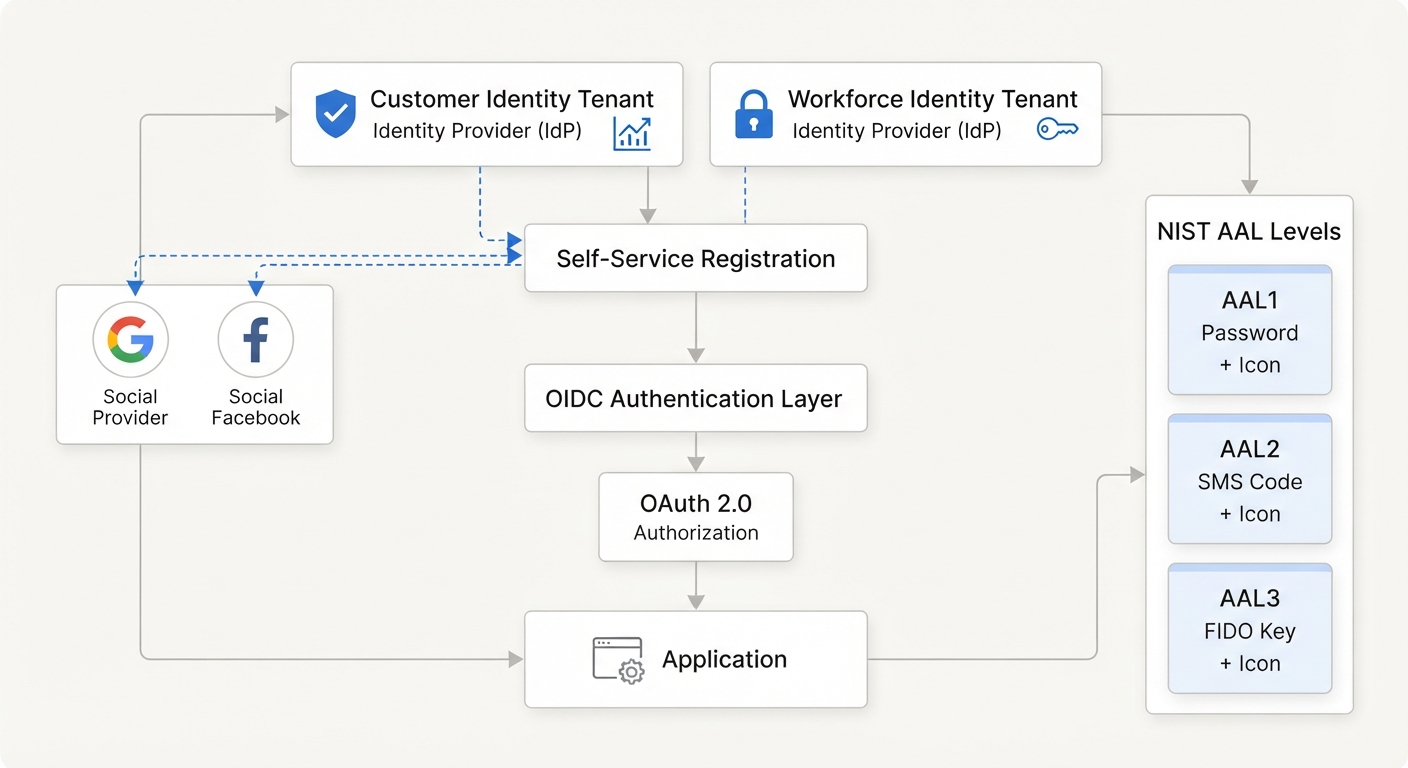
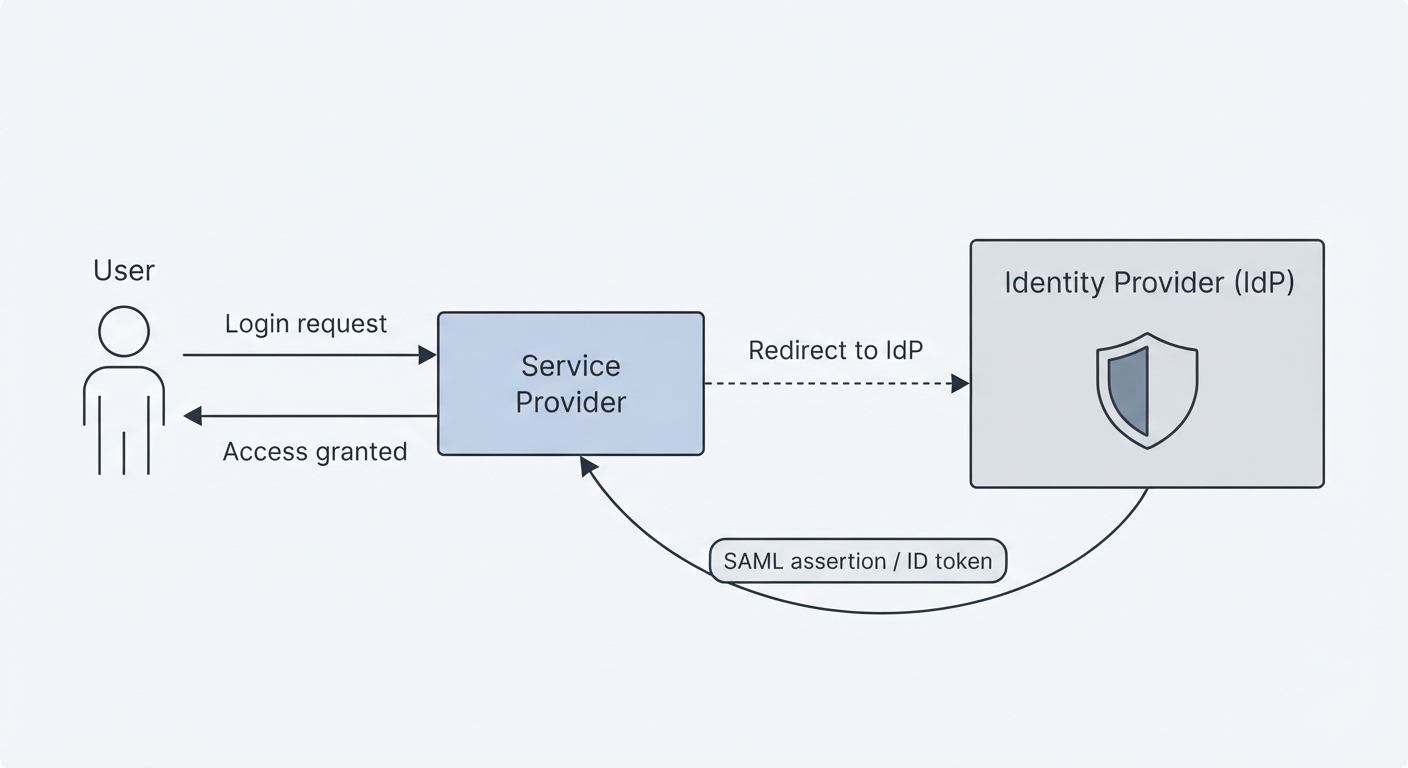
Basically, SSO is a way to log in. It means you use one set of credentials, your username and password, to get into several different software systems. Instead of juggling a dozen different logins, you authenticate yourself just once with what's called an "identity provider" (IdP). This IdP then tells all the other connected services, "Yep, this person is legit."
How Does SSO Work?
When you try to access an app that uses SSO, you're usually sent over to the IdP first. Once you prove who you are there (maybe with your password and a quick code from your phone), the IdP gives you a security token. This token is like a digital pass that gets sent to the app, letting you in without needing to log in all over again. Pretty slick for hopping between apps. What is Single Sign-On (SSO)?
What's a Password Manager?
Think of a password manager as a super-secure digital vault for your login information. It’s an app built to store and manage all your, or your team's, credentials safely. It can even create really strong, unique passwords for you and automatically fill them in when you visit websites or log into apps.
How Does a Password Manager Work for Teams?
For a team, a password manager is more than just personal storage. It lets you securely share login details for accounts everyone needs access to. Managers can grant specific team members permission to certain passwords, making sure sensitive info only gets shared on a need-to-know basis. This cuts out the risky business of emailing passwords around or writing them on sticky notes. Password Manager vs SSO: Key Differences for Businesses
Key Differences: SSO vs. Password Manager
The big difference? SSO handles authentication, proving who you are to multiple apps with one login. A password manager, on the other hand, manages and secures the individual login details themselves.
Functionality and Technical Headaches
SSO usually needs some setup connecting your identity provider to the apps you use. This involves configuring things like SAML or OAuth. While it makes life easier for users later on, getting it set up right can be a bit of a technical challenge, often needing IT know-how.
Password managers are generally simpler to roll out. They act as a secure place to keep stuff and autofill forms. Team versions have features for sharing and oversight, but the basic job is pretty straightforward for anyone to use. SSO vs Password Manager: What are the Differences?
User Experience and Where They Shine Security-Wise
SSO is all about making the login process smooth. Users don't have to remember as many passwords, which means less hassle and more getting work done. Security gets a boost because you're relying on one strong authentication point and cutting down on password reuse. As one source put it, "SSO helps consolidate authentication between applications, simplifying users’ experience by reducing the number of logins and passwords they have to remember, and increasing enterprise security by ensuring strong authentication for more applications."
Password managers zero in on making sure each individual password is strong and unique. They tackle the common threat of weak or reused passwords. For teams, they add a layer of secure sharing and management. The benefits? "83% report increased security," "83% report credential risk reduction," and "70% report streamlined logins." SSO is not a silver bullet: Why most organizations augment it with password management
Can SSO and Password Managers Play Nice Together?
Absolutely. In fact, many companies find that using both gives them the strongest security setup. SSO takes care of the initial login for your main apps, while a password manager can handle the logins for apps that don't support SSO, manage those super-complex passwords some systems demand, and keep other sensitive credentials locked down.
"The answer is that it depends entirely on your company." Password Manager vs SSO: Which one is the right choice? For many, this means using SSO for the everyday business apps and a password manager for everything else. It's a comprehensive security strategy.
Picking the Right Tool for Your Team
The best solution, or combination, really boils down to what your team needs, how many apps you use, and what your current IT setup looks like.
- SSO is Great When: Your team uses a lot of cloud apps that support SSO integration, and you want to simplify logins and centralize who can access what.
- A Password Manager is Smart When: Your main goal is securing individual login details, managing passwords for apps that don't play nice with SSO, or if the priority is making sure all passwords are strong and unique.
- Using Both: This is often the most secure and efficient route. You get the easy access of SSO for core apps, plus the detailed credential management of a password manager for everything else.
Frequently Asked Questions
What's the main point of SSO for teams?
The main point of SSO for teams is letting users log into multiple apps just once with a single set of credentials. It simplifies logins and boosts security by centralizing authentication.
How does a password manager help teams?
A team password manager helps by securely storing, creating, and managing unique passwords for various accounts. It also allows for secure sharing of login details for shared resources.
What's the core functional difference between SSO and a team password manager?
SSO manages the authentication process to multiple applications with one login. A password manager focuses on storing, generating, and managing individual login credentials securely.
Can teams really use SSO and password managers together effectively?
Yes, SSO and password managers work well together. SSO handles the initial authentication for integrated apps, while a password manager can secure access to apps not integrated with SSO and manage complex passwords.